


Populate hundreds of Figma frames in seconds.
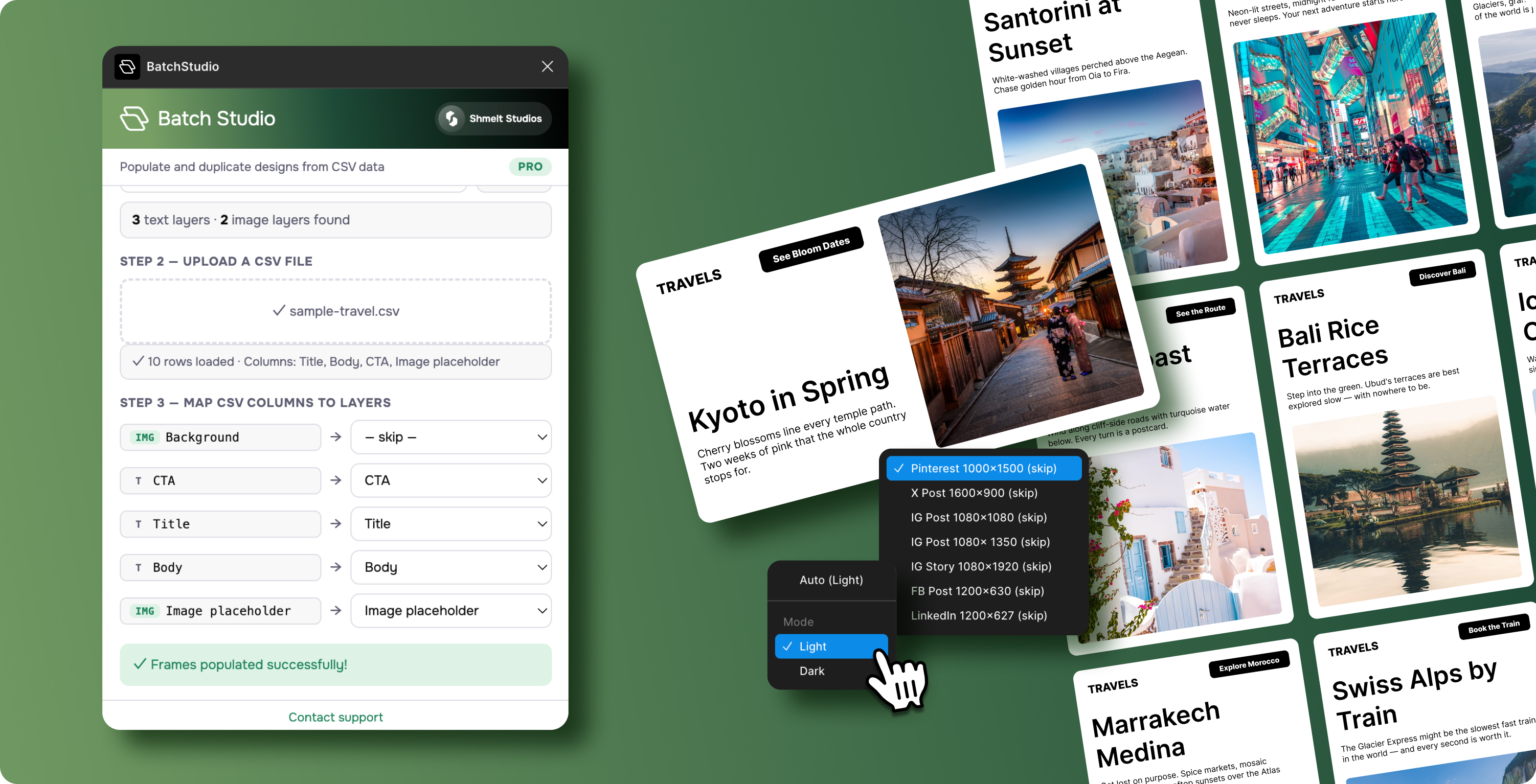
BatchStudio is a Figma plugin that fills your designs with real data from a CSV. Select a frame, upload your spreadsheet, map columns to layers, and watch your design multiply — fully populated with text and images, row by row.
Three steps. That's it.
No APIs. No JSON. No learning curve. BatchStudio was designed so anyone on your team can use it the first time.
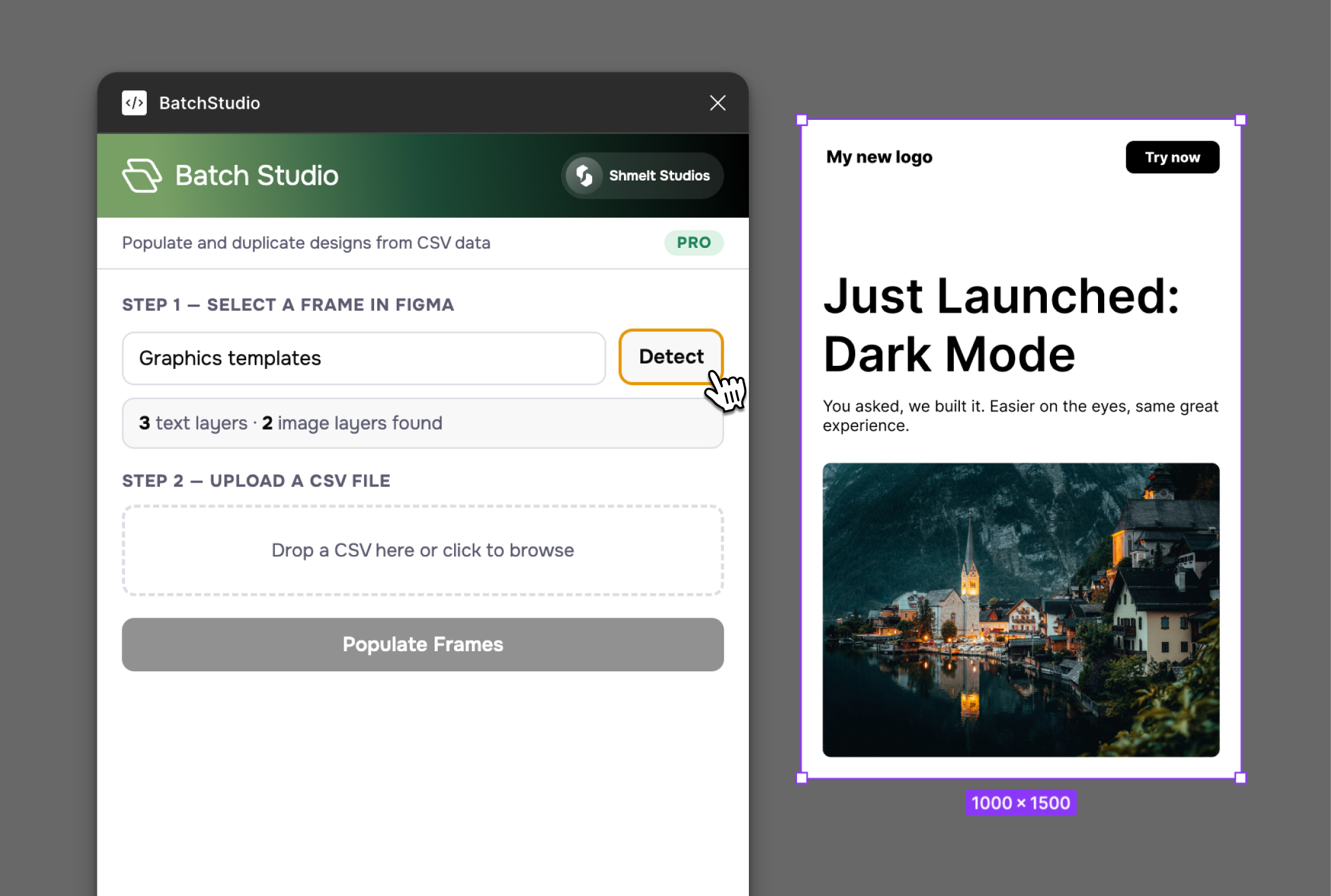
Detect your frame
Select any frame in Figma and click Detect. BatchStudio scans the layer tree and identifies every text and image layer automatically.
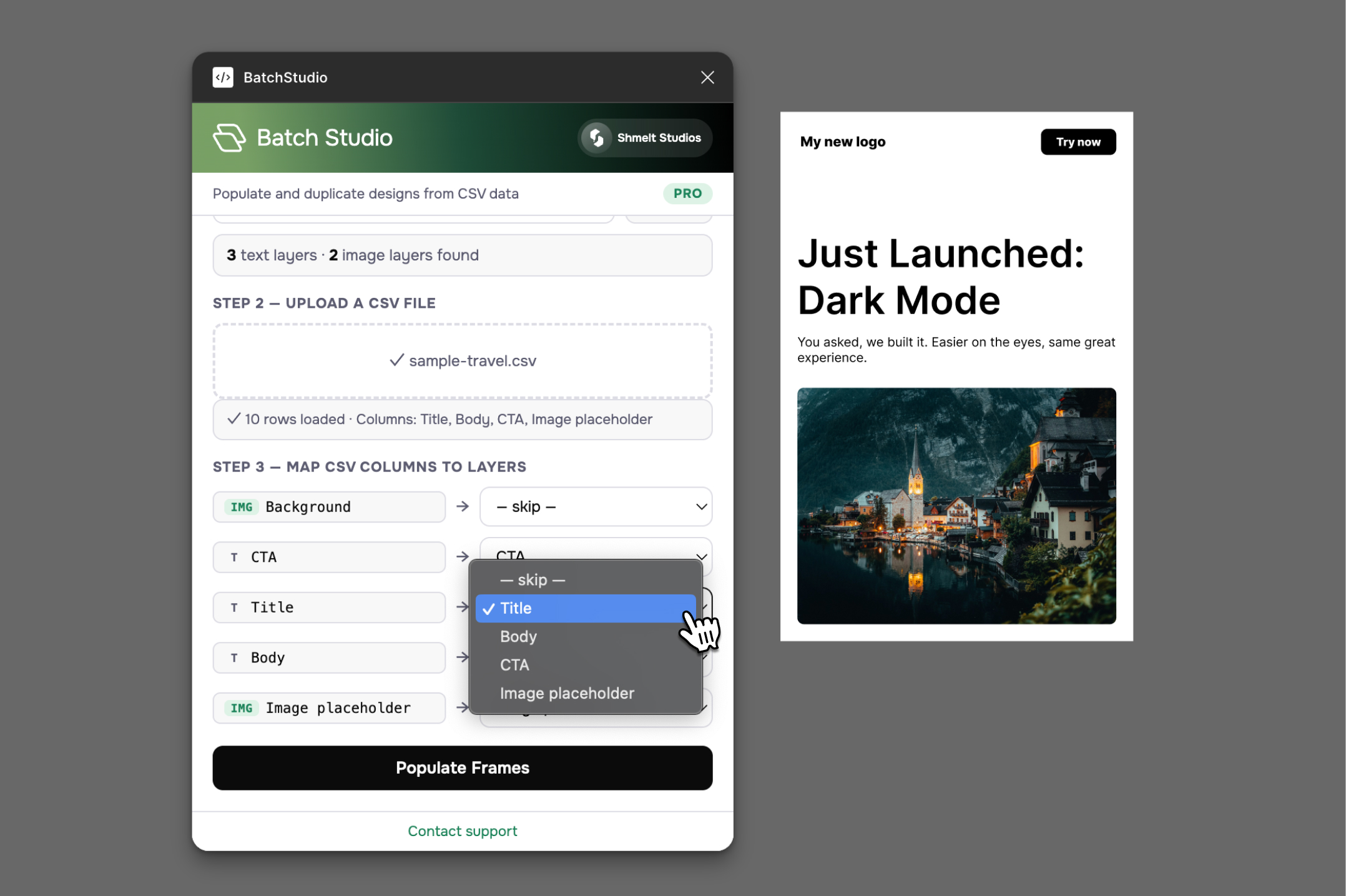
Upload a CSV
Drop in a spreadsheet. BatchStudio reads your column headers and maps them to the detected layers by name. Adjust any mappings with the dropdown.
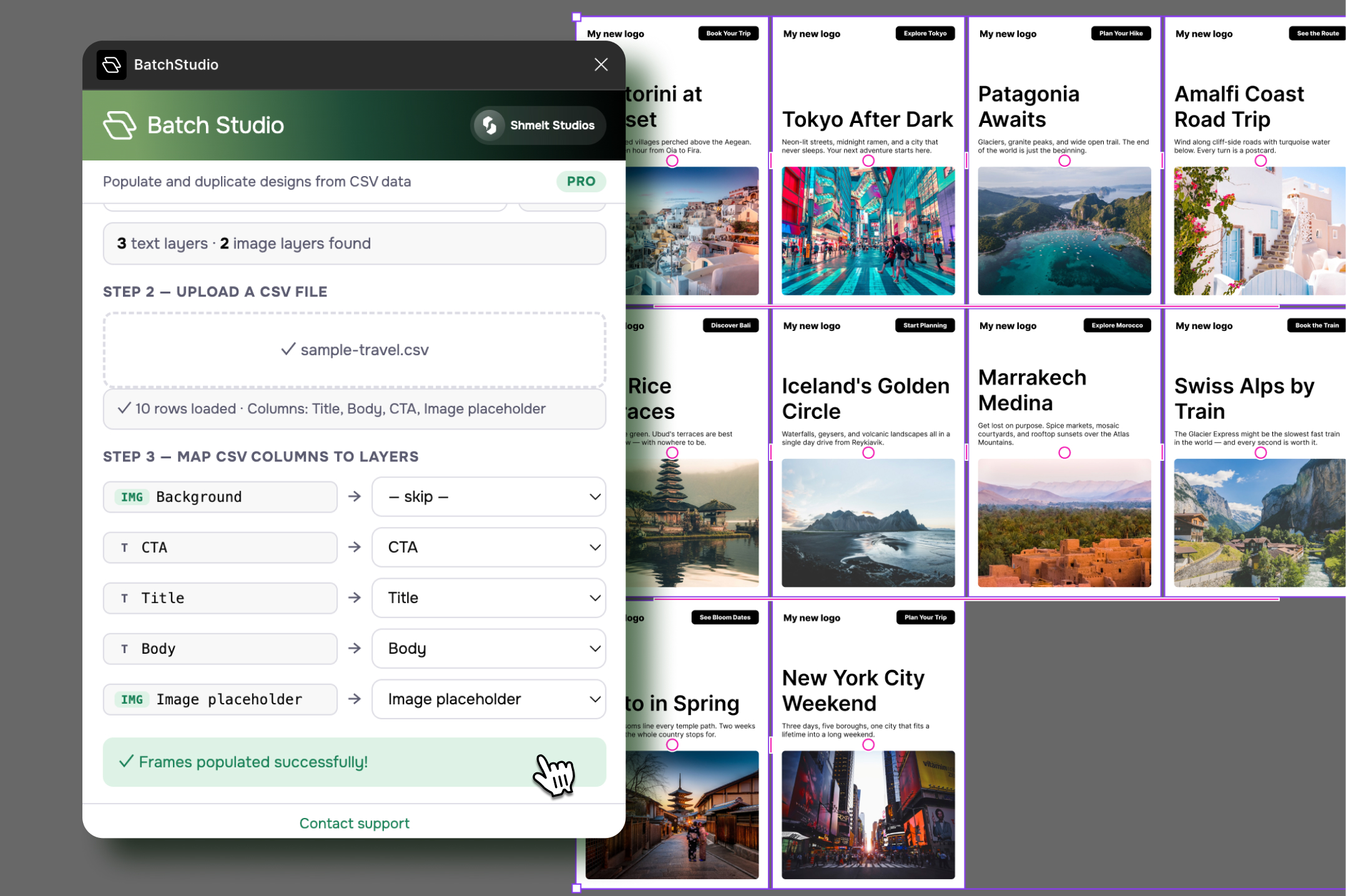
Hit Populate
BatchStudio clones your template frame for every row in the CSV, filling in text and images as it goes. Fonts and formatting preserved.

Everything you need. Nothing you don't.
CSV-Powered Population
Upload a CSV. Map columns to layers. Hit populate. Each row becomes a finished frame — text, images, and all. The entire workflow takes under 60 seconds.
Smart Image Fills
Drop image URLs in your CSV — Google Drive, Dropbox, Unsplash, or any public link. BatchStudio fetches, converts, and fills image layers automatically.
Text + Image in One Pass
Populate text and images together in a single run. No second plugin, no extra steps, no workarounds needed.
Auto Font Loading
Every font in your template is detected and loaded before population begins. No missing font errors, ever.
Works With Any Frame
Components, auto-layout frames, deeply nested layers — if Figma can build it, BatchStudio can populate it.
Unlimited Rows (Pro)
Free tier gives you 5 rows to test the full workflow. Go Pro for unlimited rows and image fills — right inside Figma.
Built for people who make things in bulk.
Social media teams
Generate 30 branded quote cards from a content calendar in one click.
E-commerce designers
Populate product cards with names, prices, and photos from a catalog export.
Agencies
Produce client mockups with real data instead of lorem ipsum.
Presentation designers
Build slide sets from speaker data, session titles, or sponsor logos.
Print designers
Generate business cards, name badges, or certificates from a roster.
Localization teams
Create region-specific ad variations from a single template and translation sheet.
Pricing
Start free with up to 5 rows. Upgrade to Pro for unlimited rows and image population.
Free
Populate text layers across your Figma frames with CSV data. No account needed.

Pro
Populate hundreds of frames at once with text and images. The full BatchStudio experience.

FAQs
What file format does the CSV need to be?
A standard .csv file with headers in the first row. If your spreadsheet app can export to CSV, it'll work. Google Sheets, Excel, Numbers, Airtable — all good.
Can I use images from Google Drive or Dropbox?
Yes. Paste sharing links directly into your CSV. BatchStudio converts Google Drive, Dropbox, Box, and Unsplash links into direct image URLs automatically.
Does my data leave Figma?
Your CSV data is processed entirely inside the plugin — it never hits a server. Image URLs are fetched through a lightweight proxy to handle browser security restrictions, but the proxy doesn't store anything.
What happens to my original frame?
It stays untouched. BatchStudio clones it for each row of data and places the new frames next to the original. Every clone is a fully editable Figma frame.
How is this different from data.to.design?
BatchStudio is purpose-built for CSV workflows. If you need JSON, APIs, GraphQL, or design tokens, data.to.design is a powerful option. If you want to upload a spreadsheet and go, BatchStudio gets you there in three clicks with zero setup.
Is there a row limit?
The free tier supports up to 5 rows per run with text layers only. Pro unlocks unlimited rows and image population.
Stop copying and pasting. Start populating.
Install BatchStudio and turn your next CSV into a finished design in under a minute.
Install Free on FigmaFree for up to 5 rows. No account required.
